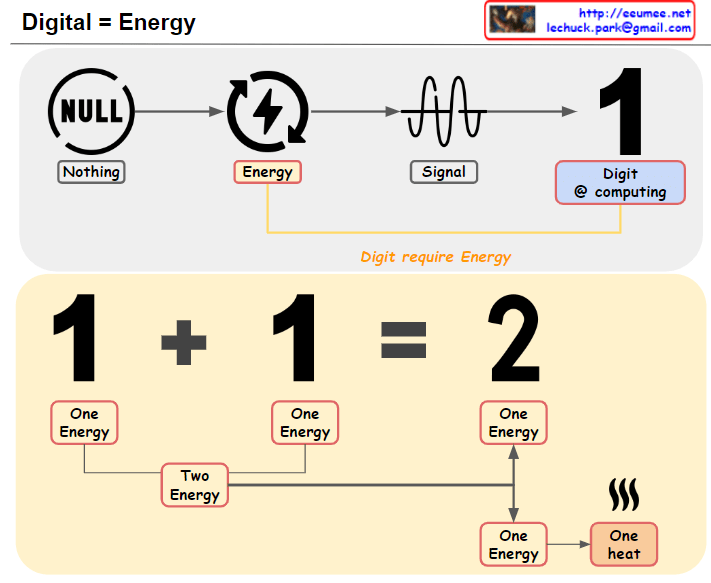
From DALL-E with some prompting this image illustrates the concept that “Digital equals Energy.” The first row shows the transformation from ‘NULL’, which represents nothingness, into a signal through energy, and then into a digital ‘1’ for computing. The second row demonstrates that digital operations require energy by showing that adding ‘1’ and ‘1’ results in ‘2’, with each ‘1’ requiring a unit of energy and the process generating heat, indicating energy loss.
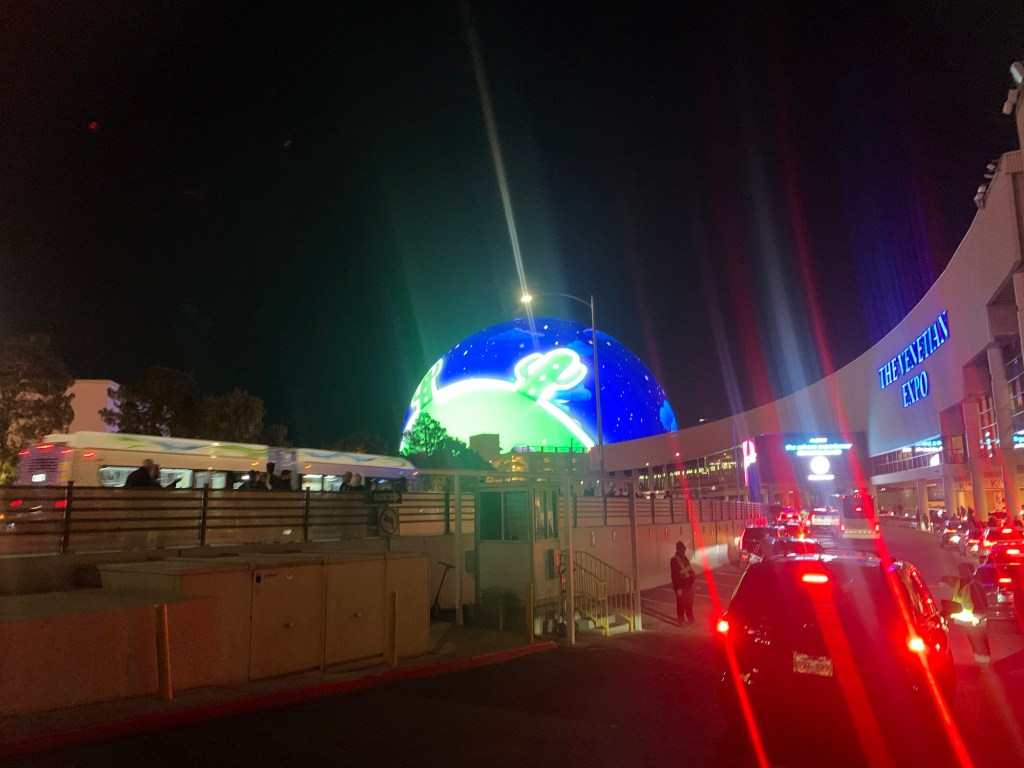
The image depicts the concept of applying AI to real-world applications. It presents a flow from the human experience to digital transformation, then to AI, and finally applying AI to real-world scenarios. Here’s a breakdown of the components:
Human: Represents the human experience which is the source of data.
Experience to Digital: Indicates the process of translating human experiences into digital data.
Digital: Refers to the digital representation of data, shown as binary code.
Standard/Platform: Suggests that data and processes are standardized on a platform, allowing for the creation of new services easily.
AI: Depicts artificial intelligence as a technology or tool.
Accelerator to Real: Refers to the application of AI as an accelerator, making processes more precise and scalable, and applying them to real-world scenarios.
The overarching theme is “AI to REAL,” indicating a transition from abstract or digital concepts to practical, tangible applications in the real world. AI is seen as an accelerator that can enhance and expedite the implementation of digital solutions into everyday experiences, grounded in a standardized platform for ease of development and deployment.
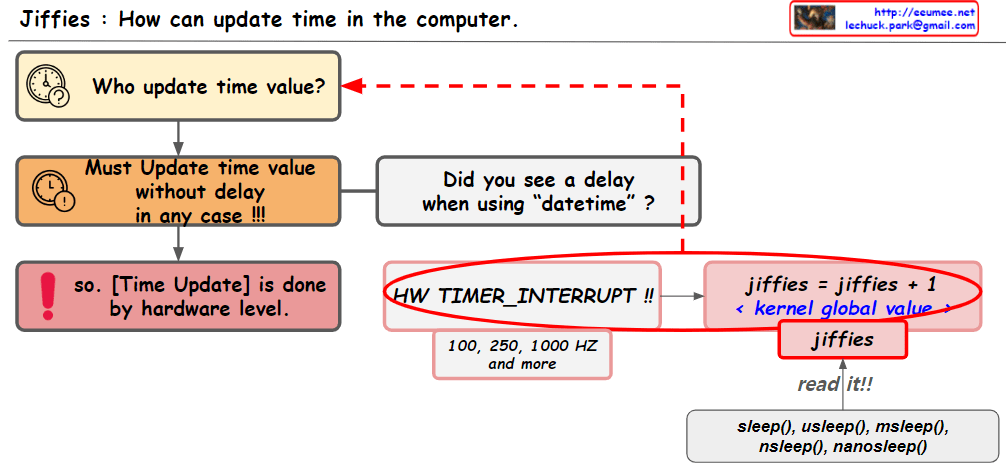
The image provides an explanation of how time updates are handled in computer systems. The key points include:
“Jiffies” refers to a global variable used by the kernel to keep track of time.
Time updates are performed at the hardware level through “timer interrupts,” which are initiated periodically by the system’s real-time clock.
The “HW_TIMER_INTERRUPT” increments the jiffies value by one, and this can be set to various frequencies such as 100, 250, or 1000 Hertz (HZ).
There is a question about whether there is a delay when using “datetime,” which is crucial as time updates need to be processed in real-time.
The jiffies value can be read using the read() function, and functions like sleep(), usleep(), msleep(), nsleep(), and nanosleep() utilize this jiffies value to pause the execution of a program for a certain amount of time.
The image visually represents the concept of how the operating system’s kernel manages time and how time-related functions use the system’s “jiffies” value.
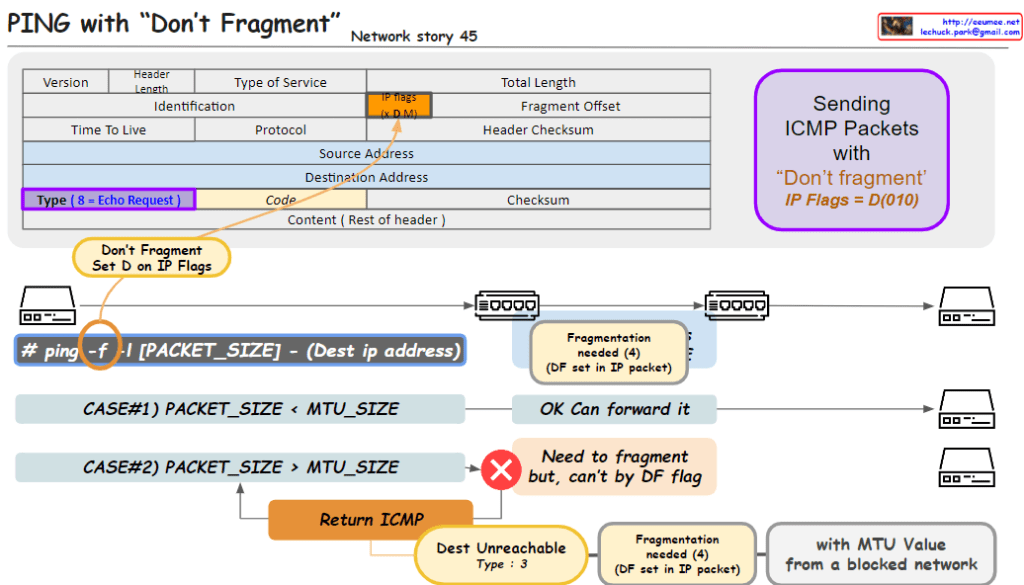
From DALL-E with some prompting The image outlines a networking concept involving the transmission of ICMP (Internet Control Message Protocol) packets with the “Don’t Fragment” flag set, which is part of the IP (Internet Protocol) flags. Here’s a breakdown of the key elements in the image:
Header Section:
Type of Service: Indicates the quality of service for the packet.
IP Flags: Contains the “Don’t Fragment” (DF) flag, indicated by setting the D bit to 0. The “MF” bit represents whether the packet is the last fragment.
Type: For an ICMP Echo Request, this value is set to 8.
Code: Used to further specify the message.
Packet Transmission:
The command ping -f is used to send a ping with the DF flag set, which means the packets should not be fragmented, even if their size exceeds the MTU (Maximum Transmission Unit) of the network path.
Case #1: If the packet size is less than the MTU, the packet is forwarded without issue.
Case #2: If the packet size is greater than the MTU, it needs to be fragmented. However, because the DF flag is set, it can’t be fragmented, resulting in a “Destination Unreachable” message with code 3 (Fragmentation needed and DF set).
Error Handling:
The ICMP error message “Destination Unreachable” with a code of “3” is returned if a packet with the DF flag set needs to be fragmented to continue along the network path but cannot be due to the flag.
This image is a guide to understanding how the “Don’t Fragment” flag in IP packets affects their transmission over networks and how ICMP is used for error reporting when the flag is set.




 Lechuck Park