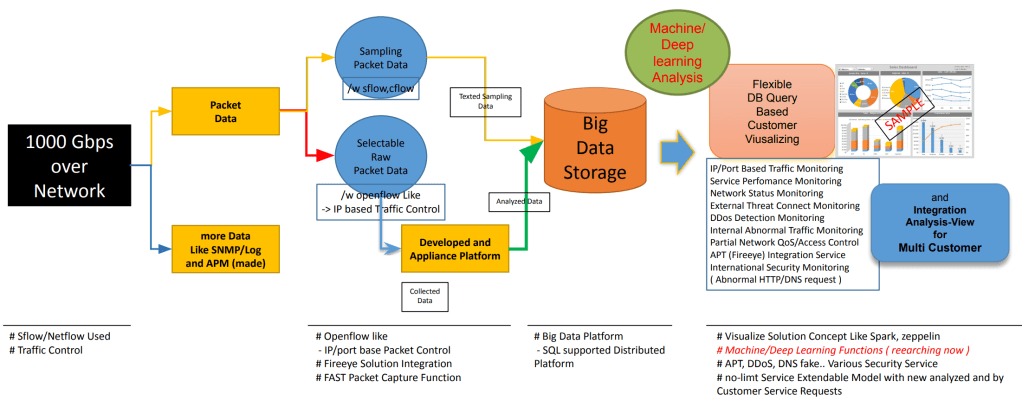
One more. From an Analysis of [Sampling Packet data], You can collect a [Selected Raw Packet Data] by an IP Flow control. And then, DO an analysis of [Selected Raw Packet Data]. ex) if you found a packet [ destination port 22 to unknown destination IP address], You would wanna check all packets from [ unknown IP address] which my IP connected to SSH(22 port).
I hope you are clear about How works Mac-address, IP-address, TCP/UDP-Port to Control TCP/IP sessions.
1) Mac address is only for devices that are directly physically connected. All NICs will have different addresses by manufacturing. Same MAC address on peers is not a problem to connect with other peers out of Physical Connection. ( it’s different with IP address working)
2) destination IP address is for choosing a network interface port(different from TCP/IP port.) in the network device. All IP addresses must be unique on the internet. ( exp. IP anycasting and ..for controlling traffic tech.)
3) TCP/IP port is for delivering data to a proper application. well known port: ~1024 (HTTP/80 and SSH/22 so on). you can check it from /etc/services (in a LINUX).




 Lechuck Park