Memoy Leak

From Claude with some prompting
This image illustrates the process of “Memory Leak Checking”. The main components and steps are as follows:

  1. Process Is Started:
    • When a process starts, it connects through an API to a “Like Virtual Machine” environment.
    • In this environment, “Hooking” techniques are employed.
  2. Process Is Running:
    • The running process generates a “Software Interrupt” through the API.
    • There’s “Tracking syscall with Ptrace()” occurring at this stage.
  3. Memory :
    • Functions related to memory allocation, modification, and deallocation (such as malloc(), calloc(), free()) are called.
  4. Memory Leakage Management:
    • This component tracks memory Changes and Status.
  5. OS kernel:
    • OS kernel parameters about memory are involved in the process.

The diagram shows the overall process of detecting and managing memory leaks. It demonstrates how memory leaks are systematically monitored and managed from the start of a process, through its execution, memory management, and interaction with the operating system.
This diagram effectively visualizes the complex process of memory leak checking, showing how different components interact to monitor and manage memory usage in a running process.

System Call

From DALL-E with some prompting
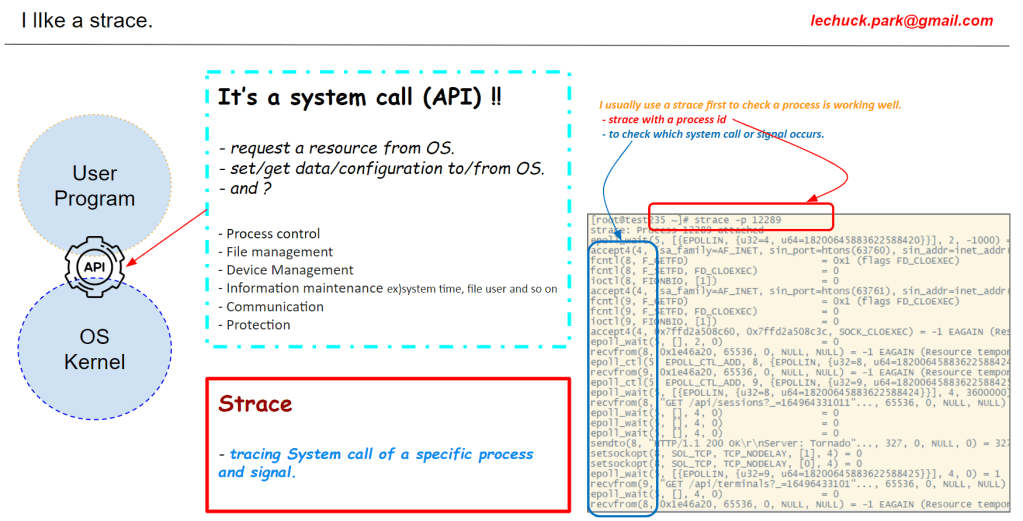
This diagram illustrates the process by which an application process requests services from the operating system through a system call. Applications running in user space cannot directly access hardware resources and must go through the operating system located in kernel space to perform necessary operations. System calls act as an interface between user space and kernel space, which is crucial for the system’s stability and security. The operating system abstracts hardware resources, facilitating easy access for applications.

Jiffies

From DALL-E with some prompting

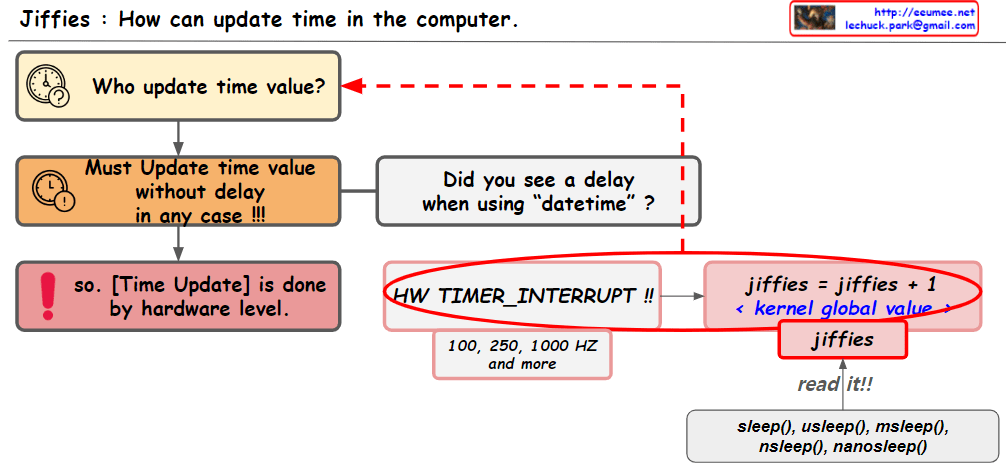
The image provides an explanation of how time updates are handled in computer systems. The key points include:

  • “Jiffies” refers to a global variable used by the kernel to keep track of time.
  • Time updates are performed at the hardware level through “timer interrupts,” which are initiated periodically by the system’s real-time clock.
  • The “HW_TIMER_INTERRUPT” increments the jiffies value by one, and this can be set to various frequencies such as 100, 250, or 1000 Hertz (HZ).
  • There is a question about whether there is a delay when using “datetime,” which is crucial as time updates need to be processed in real-time.
  • The jiffies value can be read using the read() function, and functions like sleep(), usleep(), msleep(), nsleep(), and nanosleep() utilize this jiffies value to pause the execution of a program for a certain amount of time.

The image visually represents the concept of how the operating system’s kernel manages time and how time-related functions use the system’s “jiffies” value.